如果你想在 Ubuntu 使用像 Windows 那樣的剪貼簿,你可以使用 Clipboard Indicator 這個軟體
先安裝 Extension Manager
sudo apt update
sudo apt install gnome-shell-extension-manager -y
也可以參考 Ivon 的文章 用 Flatpak 安裝
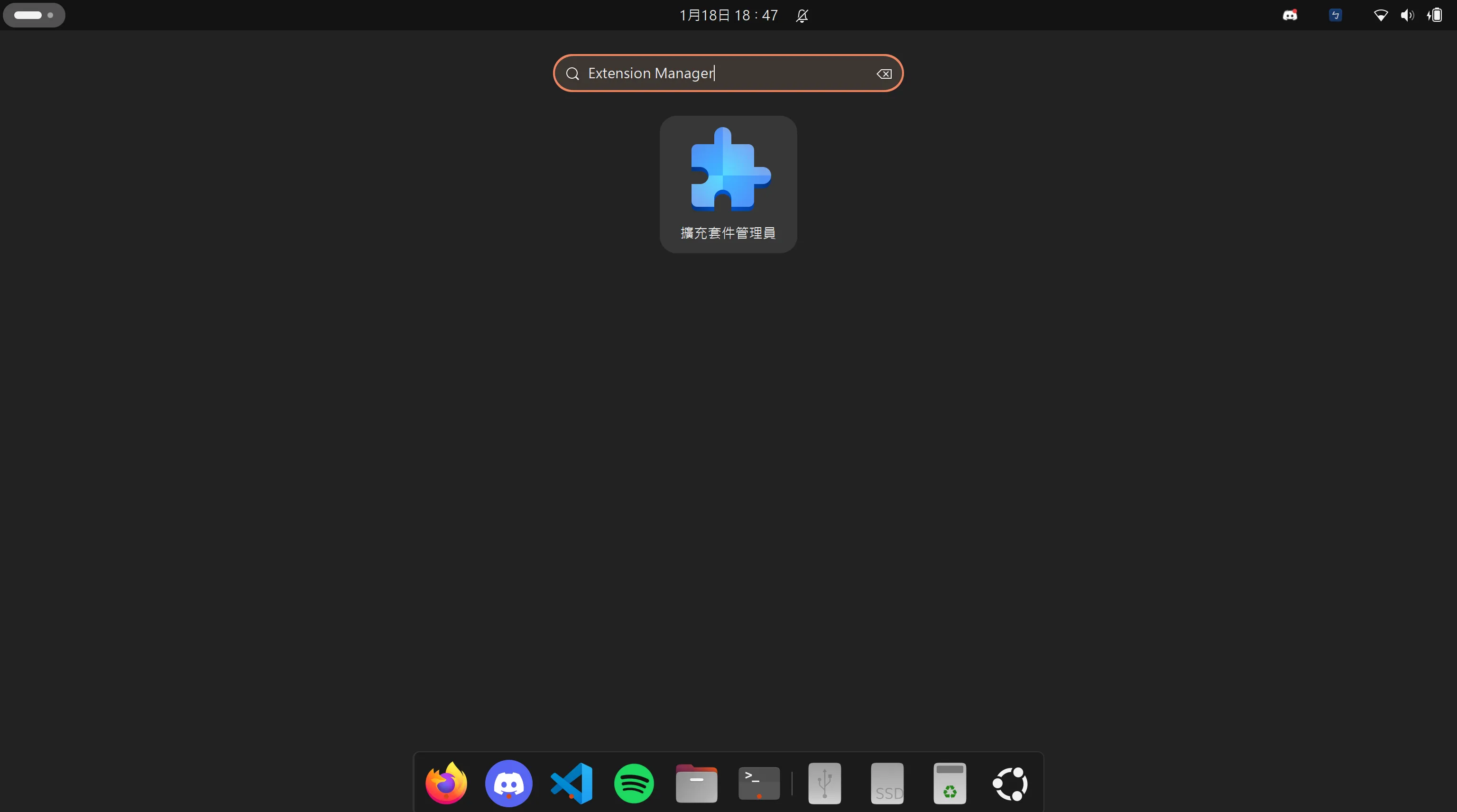
安裝後按 Super(Win) 搜尋 Extension Manager 就會看到了
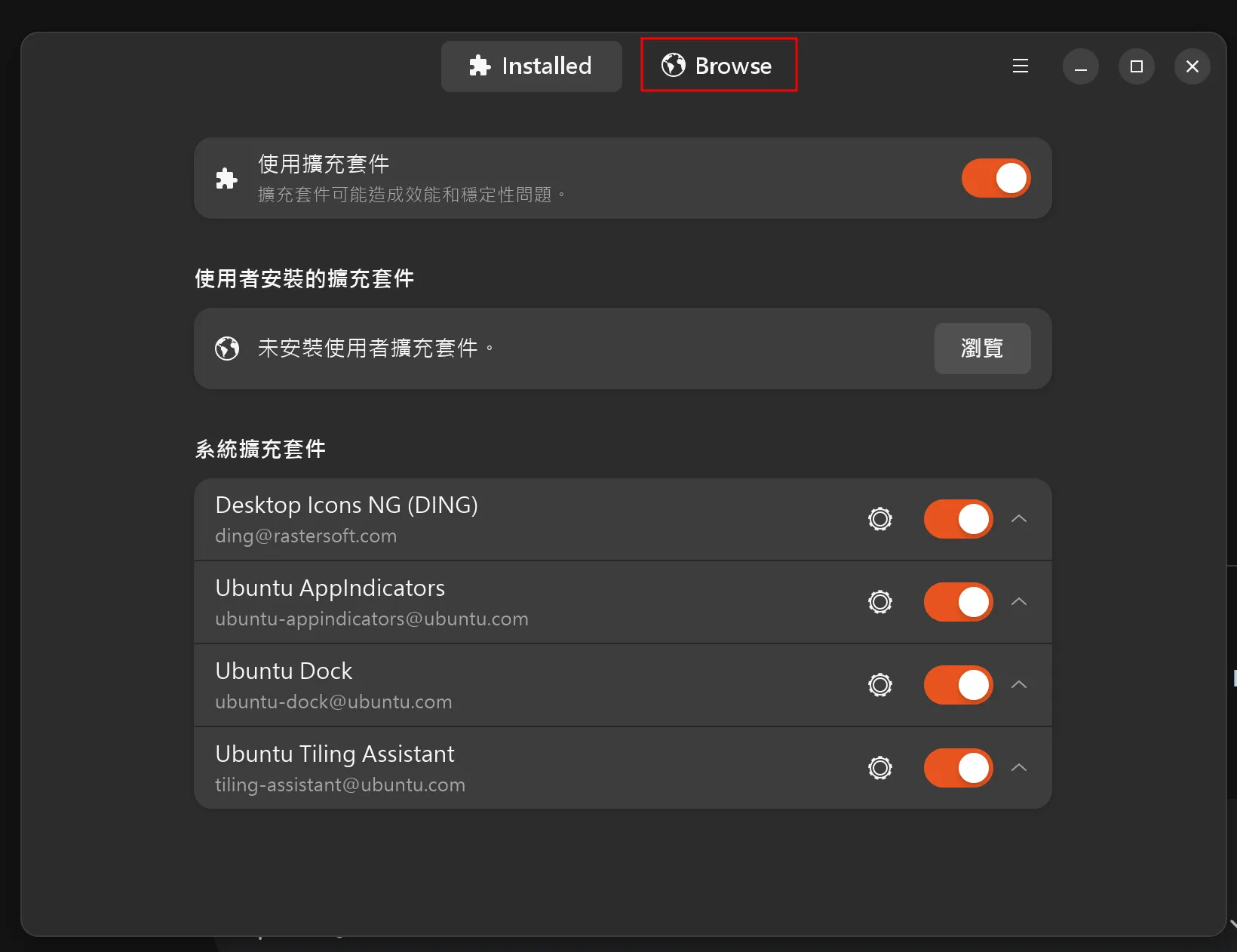
點擊右上方的 Browse
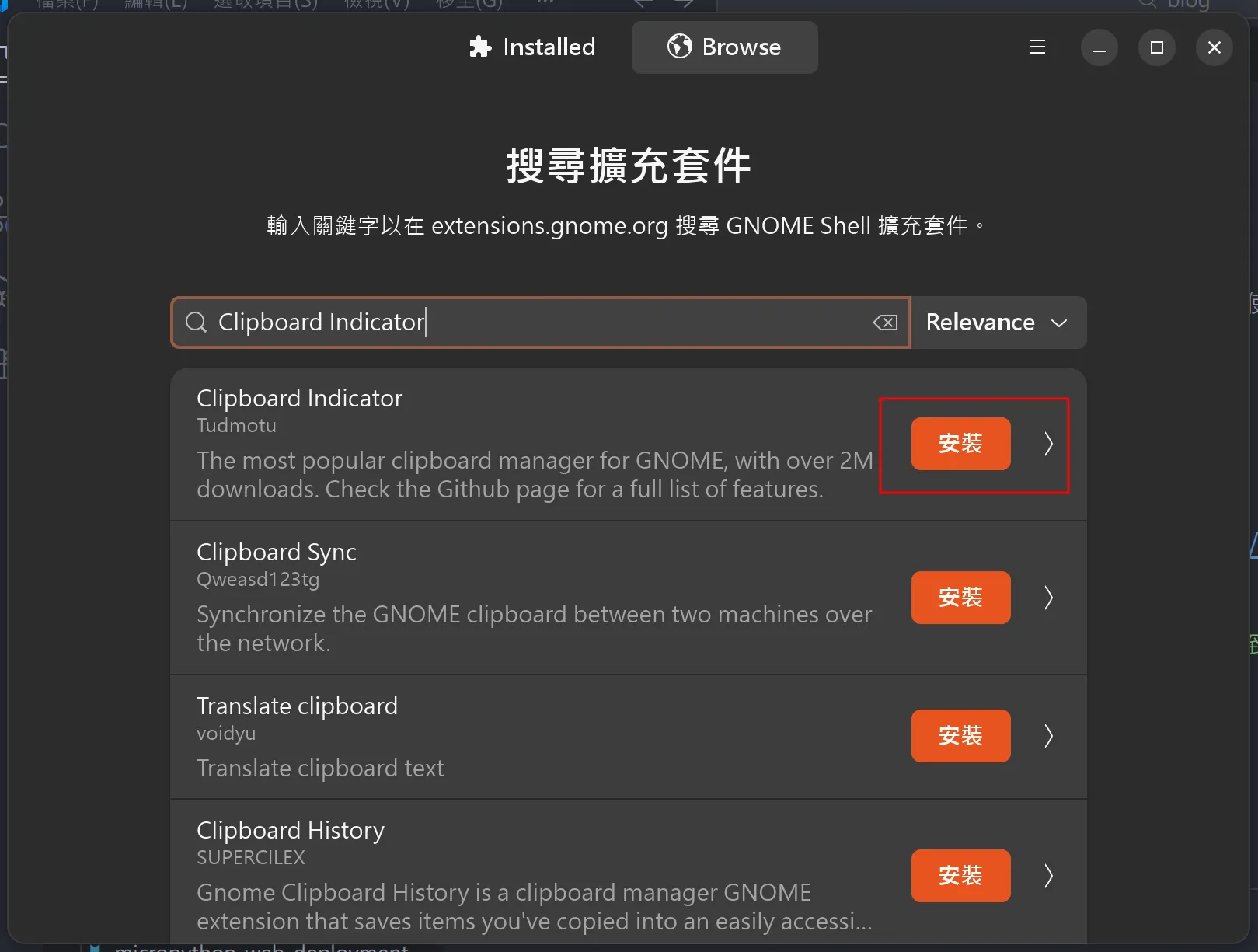
搜尋 Clipboard Indicator 然後安裝
你的右上角就會出現 Clipboard Indicator 的圖案了
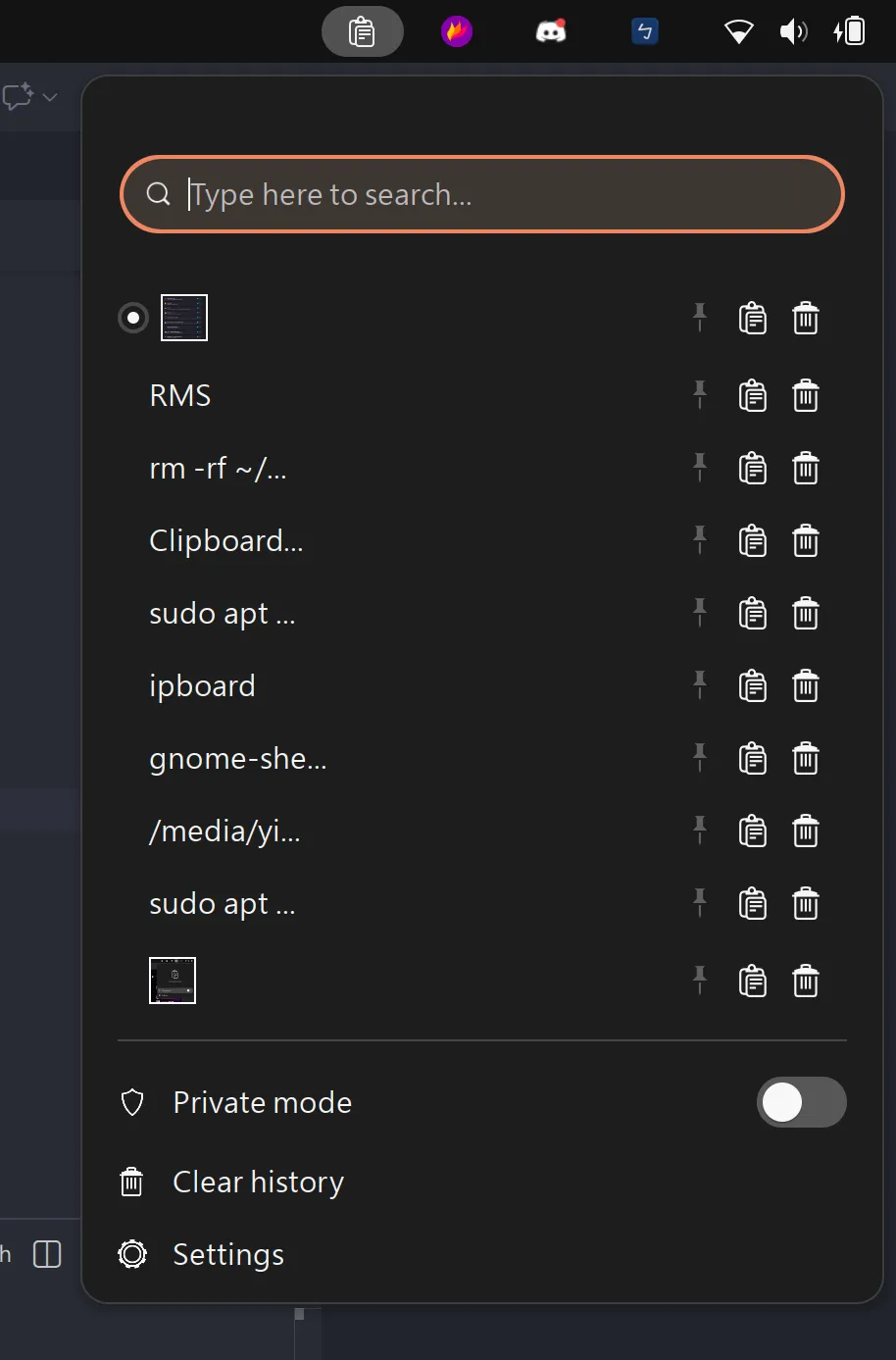
點開就能看到剪貼簿內容
如果你想設定成像 Windows 那樣用 Win+V 開啟剪貼簿,可以更改快捷鍵
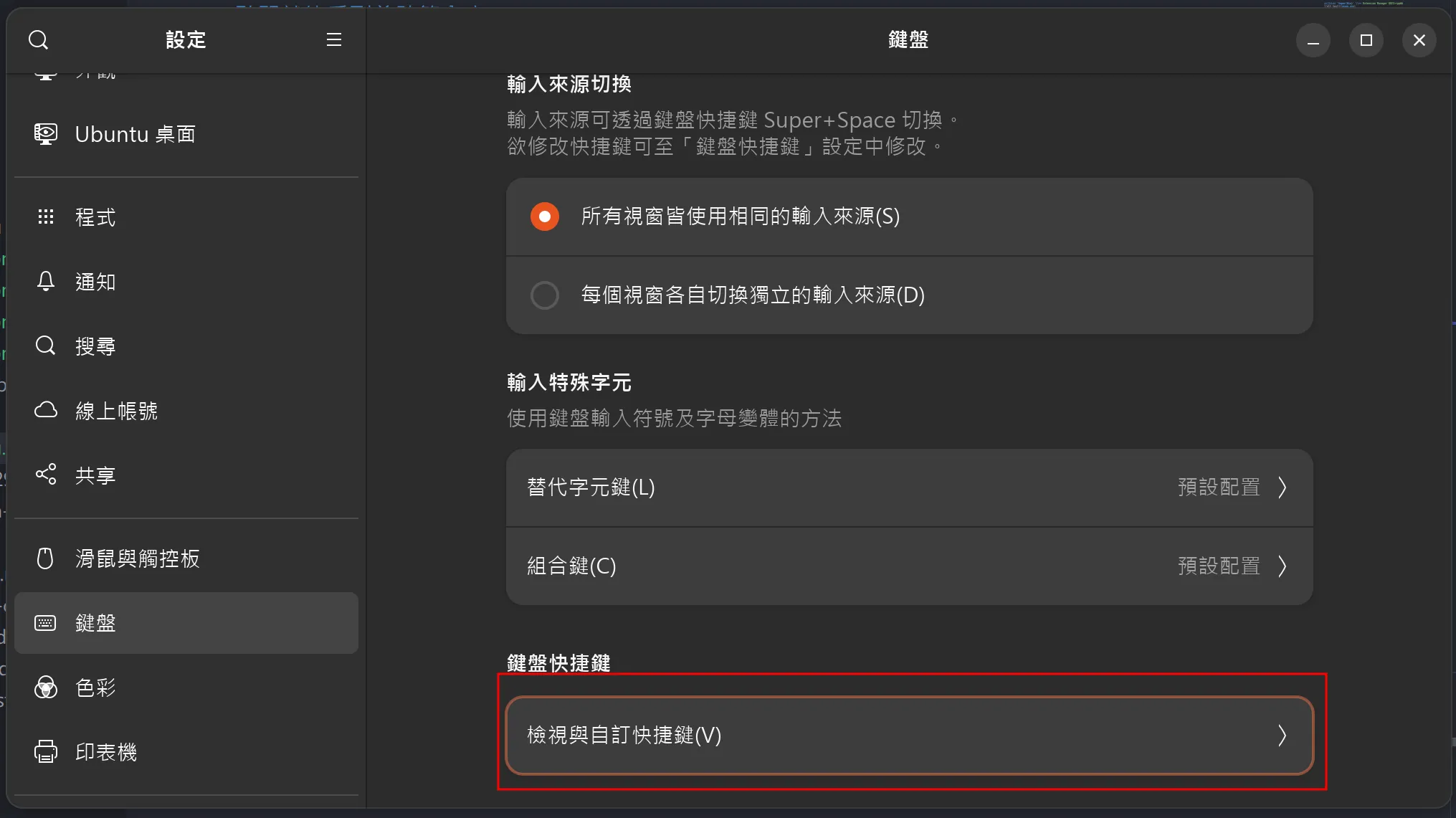
Ubuntu 預設 Super+V 是開啟通知中心,我們可以開啟 設定-鍵盤
往下滑自訂快捷鍵
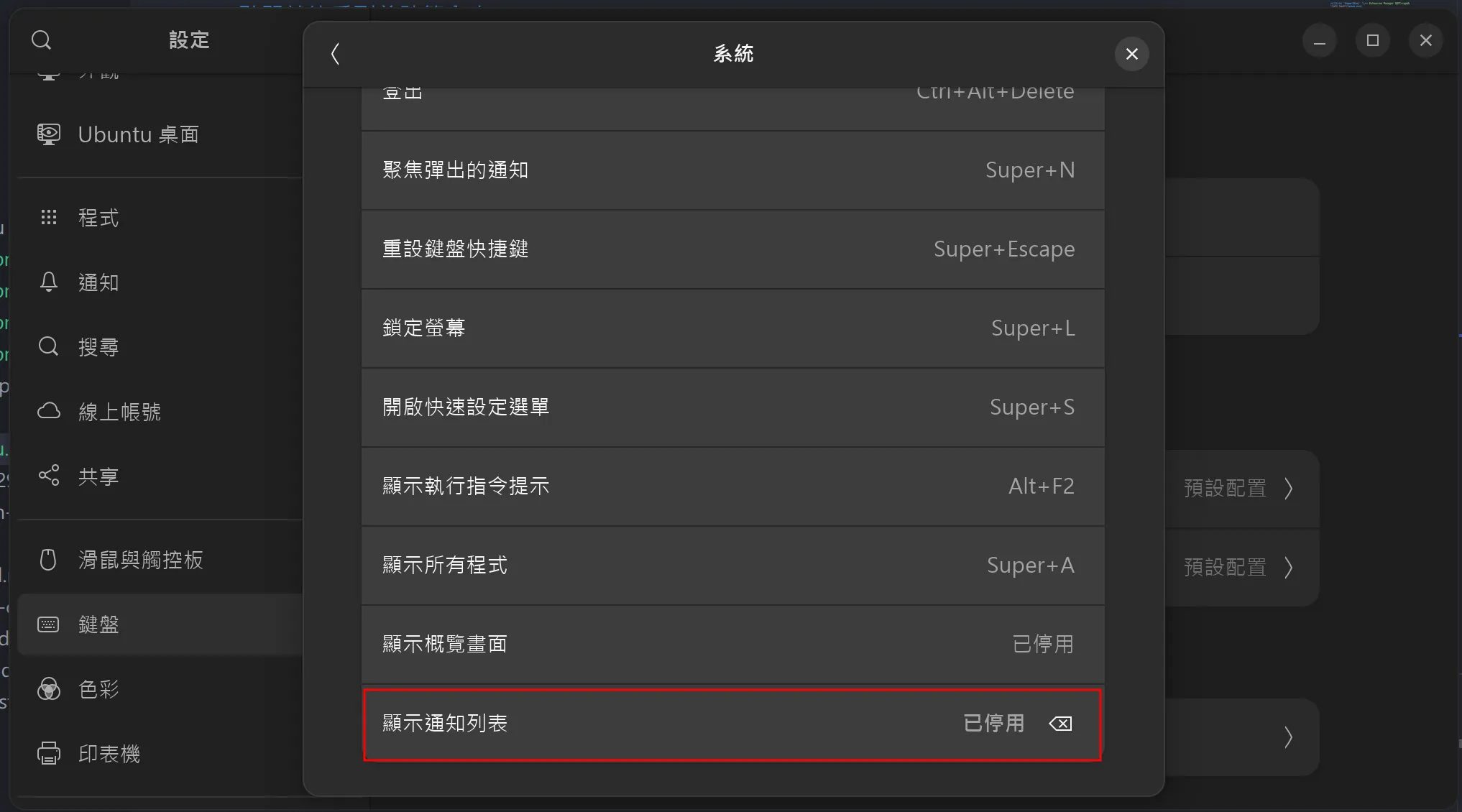
把系統分類最下面的顯示通知中心改成其他鍵或停用
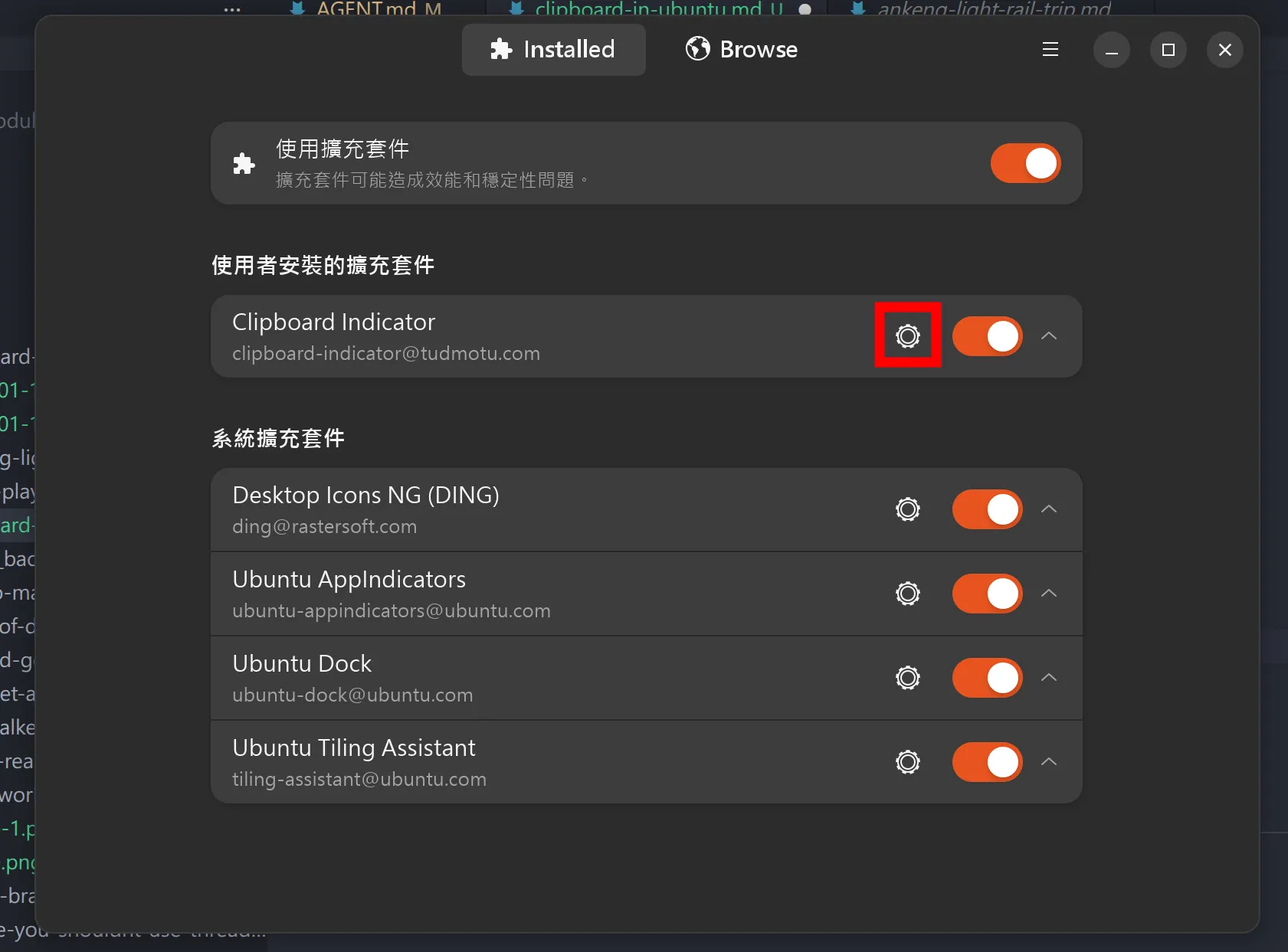
然後回到 Extension Manager 點擊 Clipboard Indicator 的設定
往下滑把 Shortcuts - Toggle the menu 修改為 Super(Win)+V
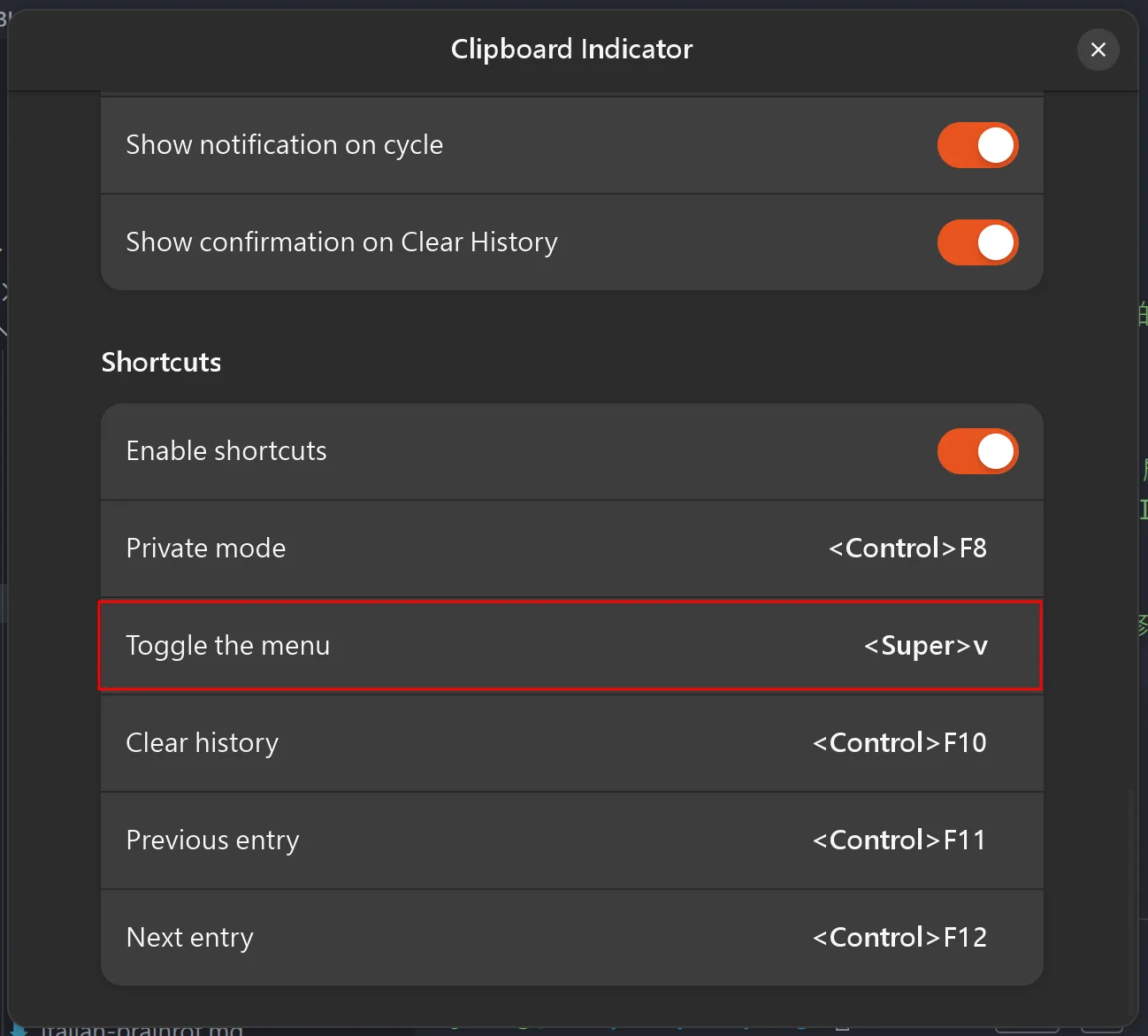
這樣就能用 Super+V 開啟剪貼簿了